Empty Message
Saturday, January 22, 2022

Saturday, January 8, 2022
What Size Apple Watch Bands Are There
There are tons of Apple Watch band options, with a variety of options to suit different needs and watch sizes. You can go for the office-acceptable nylon strap or leather loop with a modern buckle, a ballroom-worthy link bracelet, a sport loop band made from soft silicone or a rugged woven nylon band. Heck, there are even Italian leather and rose gold options out there if you're feeling fancy.

Different watch bands come with different closures as well, so if you're on the lookout for a stainless steel buckle or a magnetic clasp, chances are they exist. Leather apple watch bands, some more minimalist, others decorated with playful details, for a classic effect. Leopard print apple watch bands for those who can't resist a popping print.

Link apple watch bands that borrow from traditional watch straps. And last but certainly not least, gold apple watch bands, silver apple watch bands and rose gold apple watch bands that add the right amount of glamour... No doubt you're already clued into the fact that the watch band you're buying needs to fit the Apple watch you have. The majority of options we cover below fit the Series 6, launched in 2020, and earlier generations of the watch. You'll also want to note the band's width , which ranges for each series—plus some bands come in multiple lengths. With those essentials out of the way, choosing the right band is largely based on aesthetics.

If you're looking for a sports band, there are synthetic rubber, silicone, and nylon bands to choose from. If style alone is a top consideration, choices are practically endless, from elegant top-grain leather to glitter-encrusted blingy bracelets to classic bands with stainless steel links. You've found the perfect combination of being relaxed and ambitious, gentle yet firm and successful in all aspects of your personal and professional life. A luxury Apple watch band gives you the same balance between everyday and memorable occasions. Wear one of these enviable straps for your anniversary dinner to make your favorite little black dress pop. When you're looking to take your casual looks to the next level, our Apple watch metal bands bring just the right amount of chic style to the party.
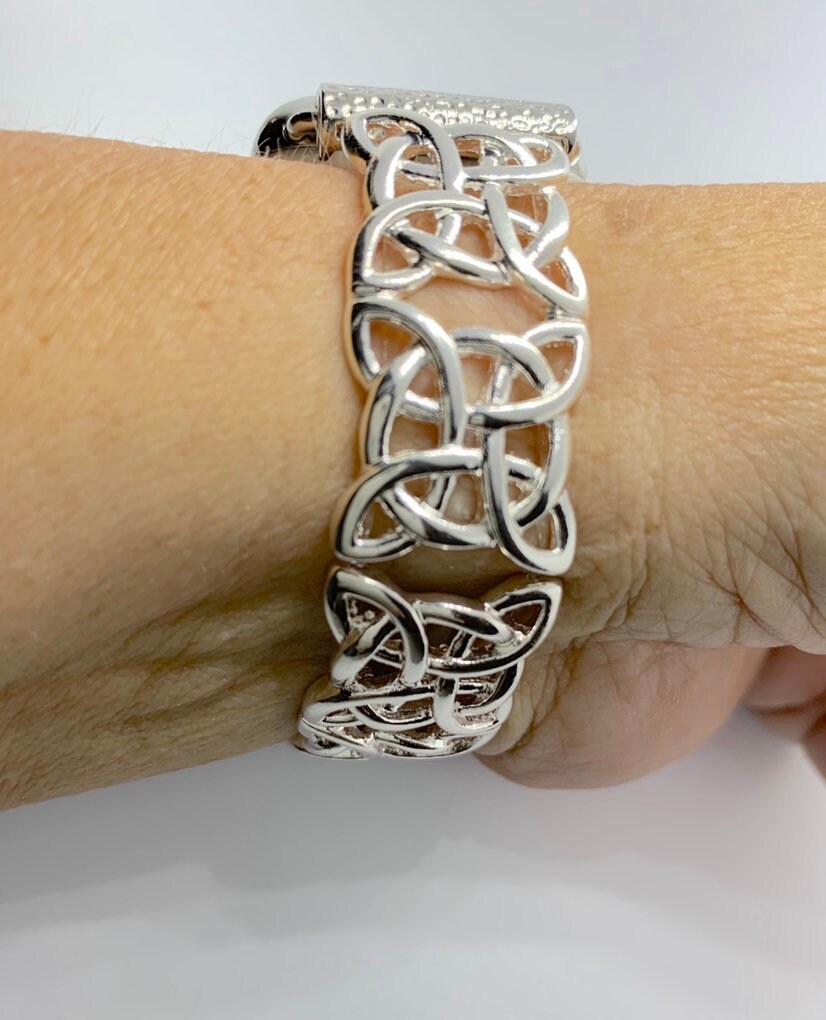
Apple Watch Series 6 40Mm Gps Gold Pink Band Sturdy stainless steel, 18K gold plating, colorful silicone and hand-set diamonds make it easy to select the style that speaks to you. The Apple watches come in several case sizes, which is important to know in case you want to replace your watch band. Hence, Apple watches from Series 1m Series 2 and Series 3 come in 38mm and 42mm cases, which means they fit apple watch bands of 38mm and 42mmm depending on the model you chose. Though I'm the last to say $70 is inexpensive for a watch band, the Nomad Modern Strap, made for Horween leather, still helps you save compared to Apple Watch leather bands.
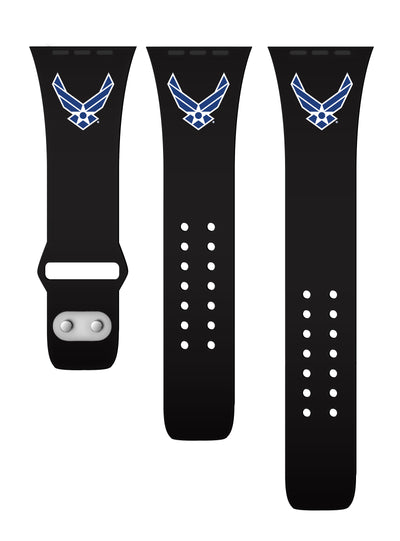
And, this leather option is still high quality, highly rated and provides a comfortable fit. Linked here is the genuine Apple Watch leather band in rustic brown with matte black hardware, but this leather bandcomes in other colors, too. More than that, we need to look at the Lagos and Tory Burch apple watch bands, plus the Coach Apple watch straps, which are another gorgeous example of collaboration. The high searching column of Louis Vuitton and Gucci apple watch bands. Although the two brands do not officially publish their Apple bands, fans did the collabs with an unlimited imagination. Casetify If you favor patterns over solid colors, Casetify's Apple Watch bands may be worth a look.
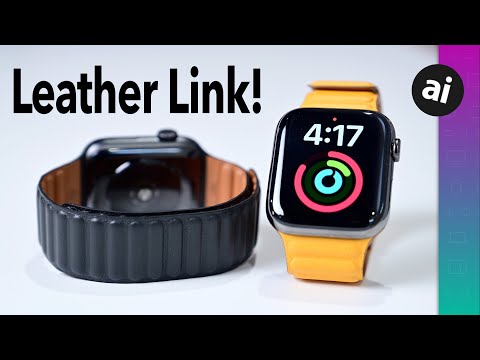
With more than 1,000 different designs, some of the Casetify straps are new while others are older designs that will still fit on the newest Apple Watch. The company has a wide variety of styles designed by artists in leather as well as TPU and stainless steel band options. Casetify says that its leather straps are water, sweat, and scratch-resistant. Apple hasn't launched new band styles, but the company now has new colors in favorite band styles.

The sport band — the same style that ships with the watch — has seven new colors, including earth tones like a deep green and orange as well as a lavender and off-white. Both the Braided Solo Loop and the Leather Link have four new colors. The straps made in partnership with Nike also see some new colors. Nike Sport band with holes for breathability now comes in navy, gray and coral.
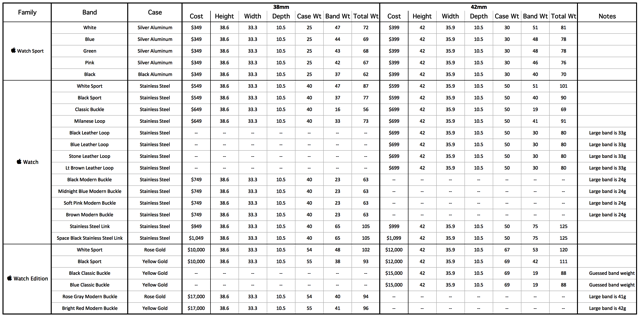
The Nike Sport Loop keeps the nylon weave but adds the Nike swoosh logo and three new color options. But if you want a different style than what Apple offers, or you want to save a lot of money, we've found a large handful of the best Apple Watch bands that aren't made by Apple. This includes three cool leather bands at different prices, a couple of steel bracelets that we really like, and a classic nylon band. If you have large wrists or long or muscular arms, you might find that many watch bands look oddly minuscule on you -- or they don't fit at all. Epic Bands solves this problem with its adjustable stainless steel link bands, which you can customize to fit any size wrist. The band itself is already rather hefty , and it fits wrists up to 8.7 inches as-is.

If you need the band to fit a larger wrist, you can purchase additional links to make the watch band as long as you need. When it comes to stainless steel or metal watch bands for the Apple watches, there are plenty of options from classic over mesh to a wide variety of shapes and colors. Silver, Black, Black Matte, Gold and Rose gold Apple watch bands never get out of fashion and fit nicely into every outfit and occasion. Bands come in a number of options including silicone, leather, nylon, and stainless steel, each of which fits different styles and occasions. A silicone band, for example, offers a more athletic look, and it's fully waterproof so you can work out with it. Nylon is similarly resilient and often water-resistant, while stainless steel is incredibly durable and offers a more polished look (but it's typically not great with water).

Leather bands are a classic option that's great for everyday wear but can be dressed up too. Our collection of women's apple watch bands are the ideal way to dress up your tech and make a personal statement at the same time. We've got a designer apple watch band and for every kind of style and aesthetic... As wearable technology creeps its way into our everyday lives, we might find ourselves sporting a wristwatch more often than we carry our phones around. But one thing we do know is that the bands you find at Moment CAN be to be used and abused daily.

All the watch straps recommended here are USA-made, come in a variety of sizes, and are compatible with the Apple Watch SE, 6, and all previous versions. We have a simple yet tasteful lineup of watch bands here that fit anyone of any age, making them superior gift options. From classic neutrals to stylish colors, our stainless steel and leather watch straps for Apple Watches® are designed to create a timeless look for your modern watch. Each band is compatible with the Apple Watch® series in both function and style.

Easily slide the watch straps into place with our versatile adapter. The stainless steel or gun-metal toned buckle has a striking resemblance to the silver or space gray finish of your Apple Watch® case for a seamless blend. Crafted to last through all the timing, talking, texting, and tracking, every detail—from the stitching to the buckle—is designed with intention. Again, Apple's official Apple Watch model accessory bands are hardly cheap, but some are worth the price tag.
The popular Milanese Loop band is a great choice when you want something more professional than silicone, but aren't into a leather strap. This Apple Watch strap comes in stainless steel, in rose gold, silver or black, which results in a flexible fit and comfortable yet sturdy band that you can wear with professional clothes. Shopping for solo loop bands is just a little more complicated, but nothing new there.

In case you didn't know, they're compatible only with Apple Watch SE, the Series 4, and newer models. For 40mm and 41mm-sized Apple Watch models, you can get solo loop bands in the size range of one through nine, whereas the 44mm and 45mm models work with band sizes four through 12. If that sizing reads like gibberish to you, the solo loop requires you to take a measurement of your wrist size to find the size that lines up with Apple's sizing guidelines. When it comes to Hermès Apple watch bands, this brand has been restyling the Apple watch ever since its beginning hence you can find the Hermès edition in every Apple watch series. These may be the most popular apple watch bands for women, but there are also irresistible options for men too. It's nearly impossible to beat a genuine leather watchband that's this attractive for $20 or less.

The bands have stainless steel pins to slide into the watch face, and are compatible with Apple watches including the SE, 6, and 5 series. The best Apple Watch strap is built to last and keep your expensive timepiece securely in place. We recommend leather or stainless steel options from Nomad since those are proven materials meant to survive usage that other watch bands simply can't. You don't like to wear the same thing day after day – you want fresh style that keeps up with your exciting routine.

Designed with our iconic details to help you conquer the world – or at least your to do list – these luxury Apple watch bands help keep your wardrobe fresh and your confidence high. Our watch bands help you dress up casual looks, stun on elegant evenings and feel your best every moment in between. You've worked hard to create a life you love and you deserve the very best it has to offer.
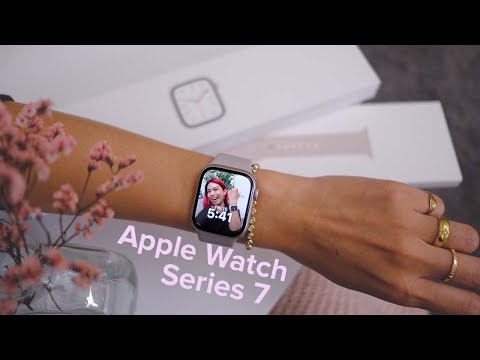
Reward yourself with a diamond Apple watch band that sparkles in all the right places and fits in everywhere you go. Our Apple watch wristbands are designed to be pretty and powerful, giving you the versatility you need to complement your stunning style. Apple has caught on that a one-size-fits-all style doesn't work for everyone, and last year, the company introduced the Solo Loop and the Braided Solo Loop to its vast collection.

Unlike the Sport Loop, which is infinitely adjustable, the Solo or Braided band — not to mention the buckle and even various sport bands — should be more precisely calibrated. If you got one of the Solo bands for your watch, our recent article explains how to measure your wrist specifically for it. Aside from that, it is also good to know that Apple watch bands come with a variety of buckles. We'll mention only the most common types, such as a classic buckle, a modern buckle , a leather loop, a Milanese loop, a link bracelet and a Sport loop . Switching up your watch bands can be exciting as there are hundreds of them you can choose. You can pick a leather band for business meetings, a fabric strap to bring with you to the gym, or a classic buckle for your everyday use.

Of the bands on this list, the one I found myself going back to most for day-to-day wear is the Catalyst Impact Protection Case for Apple Watch Series 5 & 4. Rugged, grippy, drop and scratch proof, this one gives you a case and a band specifically for the 44mm Apple Watch. The case doesn't add extra bulk or obscure any watch features while still keeping it protected. This XL Apple Watch band is a breathable rubber design that dries quickly and can handle getting wet or dirty.

Because of the design, you have a variety of fit options that allow you to adjust the band for wrists up to around 9 inches. The Solo Loop is made from stretchable liquid silicone rubber that has been designed for extra comfort. There are no buckles or clasps, with just a seamless loop instead.

The Solo Loop comes in 19 colours, all of which are available in 41mm and 45mm size options. It comes in nine sizes, requiring you to measure your wrist to ensure the perfect fit. The Huzobob Metal Strap won't feel as refined as more expensive metal watch straps but it looks pretty good.

It uses high quality woven stainless steel mesh to ensure it's durable and elegant every step of the way. Best of all is a magnet clasp design so you won't have to struggle with a buckle and it means the strap looks more shapely. An official Apple accessory, the Apple Watch Sport Loop has a double-layer nylon design that features extra cushion and comfort, making it ideal for many activities and all-day wear.

Nylon is breathable, so you can wear this sports loop band straight from a morning workout to a morning meeting. This Apple watch strap also comes in a multitude of colors, so there's something for everyone. Once you know your wrist size, it's time to pick the right fit for your wrist. Longvadon offers an easy Apple Watch band sizing guide on every product page. Always double-check your measurements before going to the next step.

For the fashionistas out there, there are also designer apple watch bands. While you're crushing a workout, you can upgrade your Apple Watch band with the Adepoy Compatible with Apple Watch Bands. It is comfortable to the touch and gives your wrists a freeing feeling. This comes in multiple sizes, fitting a 38mm/40mm or a 42mm/44mm watch. Elevating your everyday just got a lot easier with our sparkling diamond Apple watch bands.

Set the tone for your day at the office or a night out with the girls with these gorgeous bands crafted with the MICHELE details you love. These luxury Apple watch bands feature our signature seven-link stainless bracelet, 112 hand-set diamonds and MICHELE's iconic logo. Chic, sleek and unique – these gorgeous straps easily transition from day to night, work to vacation and casual to memorable.

Apple watch bands for women allow you to customize your level of elegance for every situation. Pair it with your engagement ring and solitaire necklace for a timeless look or wear it alone as the focal point of your outfit – the possibilities are seemingly endless. Whether you wear your watch to track your workouts, count your steps or communicate with the VIPs in your inner circle, you never want to compromise style for functionality. An Apple watch band for women by MICHELE allows you to create looks you love for every occasion. A silicone Apple watch bracelet is perfect for days spent in the gym and running errands and easily transitions throughout your day so you never feel underdressed. Our Apple watch bands give you flexibility and versatility to ensure that you never feel less than your best when accomplishing your goals.
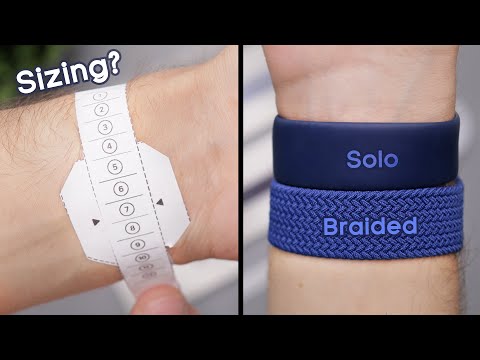
No one wants to send something back because it doesn't fit—especially when it is easy to make sure that it will before ordering. There are two measurements you will want to consider when choosing a watch band—the measurement of your watch face, and the circumference of your wrist. All Apple watch faces are between 38 and 40mms for the smaller models, and 42 and 44 for the large ones.

Watch bands will be specifically designed for either of these sizes, so you will want to make sure that yours is the correct size before purchasing. Heavy like other metal straps is the main downfall for the inexpensive Hekai Metal Strap but otherwise, it's pretty good for the price. Made from high-quality stainless steel, it's polished and colored by vacuum plating so it looks pretty good and sleek. A buckle can be locked firmly to your wrist so it's secure all day long with adjustable links so you can get things just how you like it. If you want something a bit more eye catching and a little more durable, the Tasikar Strap is a good budget option. It uses magnetic straps to keep the band tightly together while still feeling comfortable around your wrist.

You can flip it around too thereby enjoying two different color designs. That makes it the perfect watch strap for working hard before working out similarly hard at the end of the day. For those who want to stick with the classic, simple smartwatch look, nylon is the way to go. This woven style can be extremely durable and long-lasting if you choose the right brand. Salty USA, a Utah-based company that makes Apple accessories, offers budget-friendly woven nylon Apple Watch bands in two sizes (38/40mm and 42/44mm) and they come in more than 20 colors.

Saturday, January 1, 2022
Replay Apple Music Most Played
With an Apple Music subscription, it's easy to access the playlist. First, visit music.apple.com/replay and sign in with the Apple ID connected to an Apple Music account. Click on the "Get Your Replay Mix" button to be taken to the curated playlist. If the user doesn't see a Replay option, that might be because they haven't listened to enough songs yet.

This is because the playlist is based on the user's listening history, which is accrued over time. The playlist is updated weekly, so it won't take too long to build up the right amount of songs. In other words, although Apple Music Replay was initially marketed as a year-end feature, the playlist will update every Sunday. So be sure to check back regularly to see how the playlist has changed according to listening habits. If you use otherstreaming services, though, you can still share your music listening history for the year. That includes top songs, artists and albums in a series of colorful visuals specifically designed for social media.

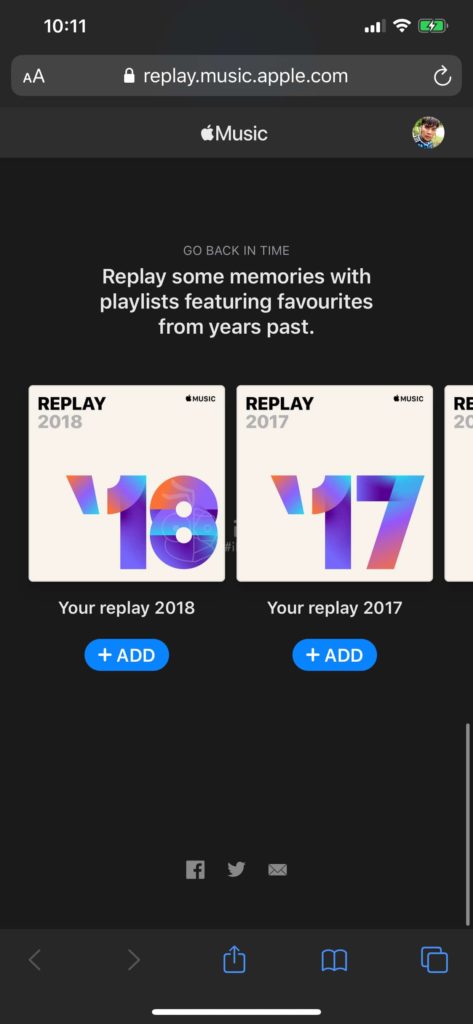
Every music source has their idea of top artists, albums, and songs for the year but apple music is an excellent indicator of the music that best. First of all, apple music replay tells you exactly how many hours of music you've listened to this year. It also reveals how many different artists you've listened and who your most popular artists are. If the user wants to save their Replay playlist to their library, all they have to do is click the +ADD button. They can also share it with friends and family by opening the playlist on their phone, tapping the "more" button -- the pink one with three dots -- and then on Share. The Replay playlist will only include songs that the user listened to while signed in to Apple Music with their Apple ID, although this does include songs listened to on any device.

It's also limited to music that is available in the Apple Music catalog -- though, since that does include millions of songs, that's not really a significant limitation. It also shows listeners how many different artists they have listened to so far, and how many hours they spent listening to those artists. Apple's replay feature also curates the Top 10 albums they have listened to so far this year. Other popular streaming apps such as Apple Music and YouTube Music also have a similar feature that allows you to view your music listening history for the year.

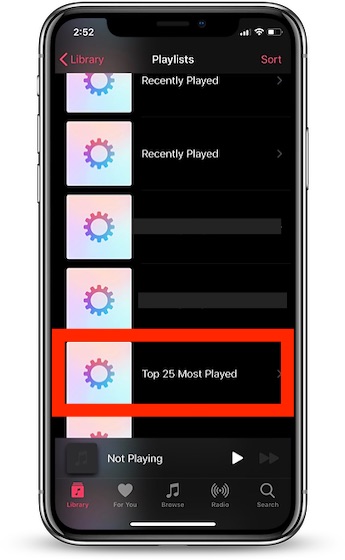
Users can view their top songs, artists, and albums and can even share the same on social media platforms. Apple Music users can access their data, via the "Replay" feature, in a few ways. To simply access the playlist of your 100 most played songs, go to the "Listen Now" tab in the Apple Music app and scroll to the bottom of the page. Once there, you'll see your Replay for 2020 and every year you've had Apple Music. While it's interesting to look back, it's probably not going to impress your friends that you listened to Modern Baseball more than any artist in 2016. (I'm telling on myself, aren't I?) You can also add the playlists to your own music library for easier access.

To see your stats, visit music.apple.com/replay in a compatible browser. Once you sign in, you can see how many hours of music you've listened to, and which artists and albums you've enjoyed the most. This page will give you a breakdown of how many hours of music you've listened to, the number of different artists you've checked out, and how many albums you've played. At the top, Apple Music notes that the playlist is updated weekly. Apple Music Replay is a new feature which allows Apple Music users to get access to all of their most played stats. To use it all you have to do is visit the Apple Music Replay website, sign in to your Apple account and click "Get Your Replay Mix".
It then immediately generates a selection of playlists based on your personal stats and tells you some key information you probably never knew about your listening habits. Apple Music and Spotify are two of the biggest streaming services in the world. Spotify launched Wrapped in 2017 and since then users have waited eagerly to find out what their end of year music stats are. In fact, Apple Replay was launched ahead of time, which meant you could listen to Replay at any point during the year if you listened to enough music. Even though the feature was created to mark the end of the year, it's updated weekly so you can use Replay at any point to listen to your favorite songs.

Apple Music also made it possible for users to save their Replay playlists as well as share with other Apple Music members. Even though the feature was created to mark the end of the year, it's updated weekly — so you can use Replay at any point to listen to your favorite songs. Apple Music also made it possible for users to save their Replay playlists (just click on the +Add button) as well as share with other Apple Music members. Head to music.apple.com/replay and you will be given the option to "get your replay mix".
From there you can find out who your most streamed artists were this year, the total amount of time you spent listening and your favourite albums. You will also be presented with a playlist of your top 100 songs of the year. Spotify changed the game in 2017 when they launched Spotify Wrapped.

The viral feature gives Spotify users detailed stats about their annual listening habits. Never ones to let the competition outdo them, Apple Music started their own version of Spotify Wrapped in 2019. Apple Music Replay reveals your most played songs, artists and albums of the year and more. At the end of each year, streaming music service Spotify provides a "Spotify Wrapped" recap of each user's listening habits and favorite songs. Spotify Wrapped is a highly anticipated year-end feature that Spotify users love, and Apple Music listeners may be wondering how to get their own "Wrapped" rundown. Apple's annual Replay playlists are available and updated throughout most of the year by visiting replay.music.apple.com.
However, as of this week, if you visit the site, you will see your year-end statistics too, which provide insights about your listening habits in 2020. Apple Music offers users the opportunity to listen to songs and artists they love, tune in to live radio stations, watch music videos and more. With the Apple Music Replay feature, they can also take a look back at their most-played songs and albums. Accessing this feature requires a subscription to Apple Music, and from there, it's simple to discover which artists they have had on repeat in 2020. While Apple Music's Replay won't give your harmonic habits an aura reading like Spotify Wrapped will, you can take a stroll down memory lane with the playlist.
You'll see the songs you listened to most over the course of 2021, in order of how much you listened to them. (Will Olivia Rodrigo's "deja vu" be among them? Only time will tell.) You'll also see how many hours of music total you played last year and how many different artists you listened to. At the bottom of the page, you'll find your Replay mixes going back to 2015, when Apple Music launched. One cool feature of the Replay 2021 list is that it also shows you how many hours of music you've listened to during the year. Additionally, the Replay 2021 list lists songs in descending order from most-played to least-played, and next to each song you'll find the exact number of times you played the song. In the app and on the web, you should be able to find it at the bottom of the Listen Now tab.

To access more of the details about what artists and albums you listened to the most, you'll need to go to replay.music.apple.com (or music.apple.com/replay) in a browser. The page will ask you to sign-in with an Apple ID or use your thumbprint to log-in, if you're not already signed-in. Apple Music users can access their data, via the "Replay" feature, in a few ways. To simply access the playlist of your 100 most played songs, go to the "Listen Now" tab in the Apple Music app and scroll to the bottom of the page. Once there, you'll see your Replay for 2020 and every year you've had Apple Music. One such option for iPhone owners isSnd.Wave, which is free to download but locks some advanced features behind an in-app purchase.

Apple Music Replay was initially launched in November of 2019. The feature compiles a playlist of the songs and artists the user listened to the most. In order to access Apple Music Replay, an Apple Music subscription is required. To get started with Apple Music, open up the iTunes app on the phone and tap "For You" -- this brings the user to a screen with a banner at the top offering Apple Music for three months free. Apple Music Replay is back and it's telling Apple Music users what their most played artists, songs and albums of 2020 are.

Every year Spotify Wrapped breaks the internet as it lets Spotify users know detailed stats about their listening habits . To find your Apple Music Replay 2020 year-in-review, you just need to go to replay.music.apple.com in the Safari browser on your device. After going to the website there will be options to sign-in along with all the details on your Apple Music listening habits throughout the year. FreeYourMusic is a service with which you can easily transfer your playlists between music streaming services in no time.

As we are nearing the end of 2021, various audio streaming platforms and social media apps have started revealing their end-of-the-year recap. Spotify recently unveiled its Wrapped for 2021, which allows users to view the songs and albums most streamed by them over the course of this year. Shazam is an Apple-owned popular service that can identify the names and lyrics of songs, music videos, TV shows, and more, simply by listening to and deciphering whatever is playing.

After you've identified songs in the Shazam app by pressing the big Shazam button, you can use streaming services like Spotify and Apple Music to listen to them. Tidal's version of Spotify Wrapped is called My 2021 Rewind. It highlights your mos- listened-to songs and artists of the year and of each month through a playlist and shareable graphic for social media. Last year the 2020 Rewind feature appeared on Dec. 1, so you should expect to see 2021 Rewind very soon.

Once it does arrive, open the Tidal app or go to the homepage on desktop and you should see My 2021 Rewind. It's the end of the year and tech platforms are beginning to roll out their annual recap lists. For some music streaming services, this means revealing what the top artists, albums, and songs were for the year—like Spotify's Wrapped roundup does.

To find your Apple Music Replay 2021 year-in-review, head to the music.apple.com/replay in your browser of choice. Once you sign in with your Apple Music account, you'll be presented with all of the details on your Apple Music listening habits throughout the year. You can access the feature on the Apple Music Web Player, once you arrive simply select 'Get your Replay Mix' and it will generate a playlist featuring your most played songs of 2019. Not only that, you'll also get to see a breakdown of your favorite artists and how often you listen to them.

There's also a breakdown of your top 10 favorite albums and how often you listen to those as well. Finally, Apple will generate songs for your most played songs for previous years as well, in case you want to take a trip down memory lane. © Cellular NewsOnce the web player successfully generated your Replay playlist, you'll basically get details of your streaming activity. Essentially, you would want to share your statistics over social media (e.g. Twitter).
To share your recap over Twitter or Facebook, simply scroll down at the bottom of the screen where you'll be able to find icons for Facebook, Twitter, Email, and Copy Link. Apple Music Replay seems like Apple's version of Spotify Wrapped. Unlike Apple Replay 2021, Spotify Wrapped doesn't track the songs you've been listening to throughout the year. It only releases a yearly analysis of your listening trends in December each year along with chic infographics that you can share with your social media followers. Apple is yet to come out with a year-end recap that Apple Music fans can share on their social media.
You can read more about Apple Music Wrapped's features here. Wait for a bit while Apple generates your Replay stats for 2021. Once the process is done, you'll be able to see all the details on the same page, from how many hours of music you've listened ...
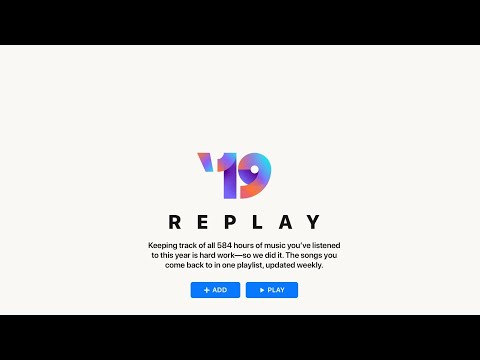
On the Replay website, you can see details like the number of hours you've listened to music during the year and your top albums and artists. If you want to share these statistics on social media, you'll need to take screenshots. We're at the end of the year, which means a swarm of personalized "year in review" lists from the apps and platforms you use the most.

But Apple is a bit of an outlier here as the Apple Music recap feature, called "Replay '21," is actually available all year round and updated weekly. Apple Music Replay shows users their total listening time for the year, alongside a playlist of your top 100 songs of the year, your top artists, and your top albums. You can also add your Replay 2021 playlist to your Apple Music library, as well as playlists for prior years dating back to 2015 as well. However, the website that displays these statistics is pretty basic. If you want to share your stats from Apple Music, you'll have to take a few screenshots and post them yourself ...not the most intuitive feature. Apple Music is introducing a fun new way to take a look at your listening history from over the past year.
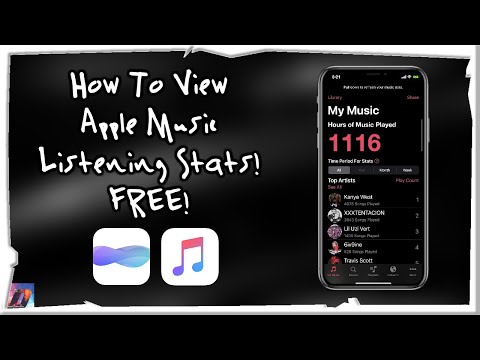
Similar to Spotify Wrapped, Apple Music has a feature called 2020 Replay that lets you see your most-played songs, artists and albums, and get a playlist of your top songs of the year. Similar to Spotify Wrapped, Apple Music has a feature called 2021 Replay that lets you see your most-played songs, artists and albums, and get a playlist of your top songs of the year. As December approaches, music lovers are taking to social media to share their most listened to artists and playlist throughout the year. The main difference between this new feature from Apple and Spotify Wrapped is that Apple Music Replay is always available to its users and gets updated year-round. The only downside of this feature is that the users can't access it from the Apple Music application directly. You can check your Replay playlists by going to the Apple Music "Listen Now" tab but to get the full details you need to visit the Apple Music website.
This page will give you a breakdown of how many hours of music you've listened to, the number of different artists you've checked out, and how many albums you've played. So if you got really into Miley Cyrus' Plastic Hearts in the past week, it could show up on your year-end list in the near future. Now that the ever-popular Spotify Wrapped has launched for 2021, Apple Music users might want to know how they can review their favorite music from the past year.

It doesn't offer all the features of Wrapped, but it's updated and available throughout the year. If you scroll down below the playlist, you'll see stats about the number of different artists you've listened to that hear, and other stats like your Top 10 albums and their play counts. FreeYourMusic Stats provides statistics about how many and which songs and tracks you've listened to in a given period , and more. So, if you don't feel like waiting for Apple Music Replay , feel free to download the FreeYourMusic app and check out your music stats.

It is important to note that while opening the Replay link on an iPhone, users will be redirected to the 2021 Replay playlist in the Music app, which features their 100 most-streamed songs. If you want to view more information, you will need to visit the 2021 Replay website on your desktop. Apple Music comes with a feature called 2021 Replay that will allow users to view your most-played songs, artists, and albums, and get a playlist of your top songs of the year.

The website will show you exactly how many hours of music you've listened to this year and a playlist of your top 100 most played songs with exact play counts. It also reveals how many different artists you've listened to in 2021 to date and who your most popular artists are. If that weren't enough, it also tells you your top 10 most played albums of the year too. It should be noted that if you open the Replay link on your iPhone, you'll be redirected to your 2021 Replay playlist in the Music app, which features your 100 most-streamed songs. If you want to view more information, like how long you listened to music for the entire year, you'll have to visit the 2021 Replay website on your desktop. Here's how to quickly access your 2021 Apple Music Replay list from any computer in the world.

Apple uses your Apple Music listening history to provide you with the songs, albums, and artists you listen to the most every year. Each year your Apple Music stats are compiled into a single playlist called a Replay. Once it has loaded up, you will be able to scroll through and see the top tracks, artists and albums you have played, as well as how many hours you have spent listening over the last year. Spotify always occupies social networks every December of each year. The reason is the launch of the annual summary where each user gets the statistics of the most listened to artists, genres and songs of the whole year.

Subscribe to:
Posts (Atom)
Making Steel Rust Quickly
I've had this Maine 'buoy bell' wind chime for about eight years now. It has the haunting melancholy sound of a bell buoy at sea...

-
I've had this Maine 'buoy bell' wind chime for about eight years now. It has the haunting melancholy sound of a bell buoy at sea...
-
With an Apple Music subscription, it's easy to access the playlist. First, visit music.apple.com/replay and sign in with the Apple ID co...
-
Although time is a nice guideline for a recipe, the absolute most important factor in grilling your pork chops to perfect doneness is intern...


